
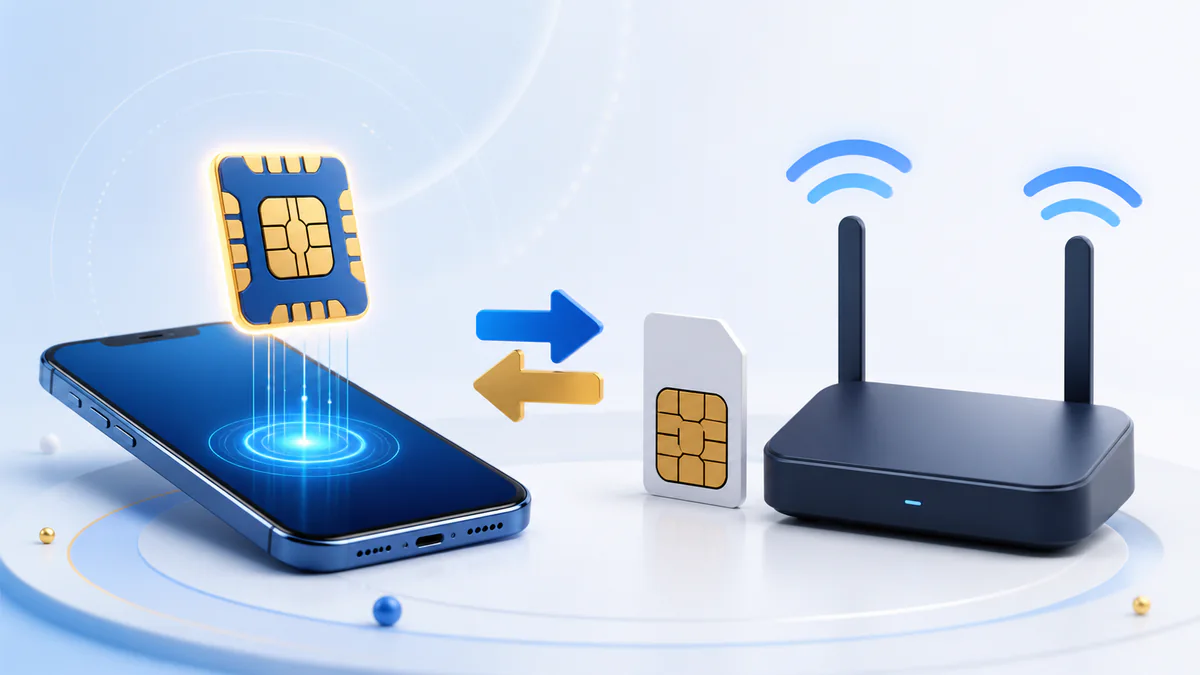
New-line decision guide
eSIM vs Physical SIM for a New Philippine Mobile Line
Choose the right SIM format before buying a new number, then register it through the issuing carrier without confusing a new line with a same-number conversion.
Choose an eSIM if your exact phone model and carrier support it, the phone is unlocked, and you are comfortable protecting a carrier-issued QR code or digital installation record. Choose a physical SIM if broad device compatibility or physically moving the line between compatible unlocked devices matters more. For a new Philippine line, both formats require SIM registration: RA 11934 expressly includes eSIMs. The format does not change the identity information the carrier must collect.
eSIM versus physical SIM at a glance
| Decision point | New eSIM line | New physical-SIM line |
|---|---|---|
| What you receive | A digital carrier profile, often provisioned with a QR code or carrier-supported in-device action. | A removable plastic card in a supported SIM size. |
| SIM registration | Required for a local Philippine line under RA 11934. | Required for a local Philippine line under RA 11934. |
| Device requirement | The exact model/region must support eSIM and the issuing carrier’s service; the device must not be locked to an incompatible network. | The device needs the correct SIM slot/size and compatible, unlocked network support. |
| Installation | Follow the carrier’s sequence for purchase, profile download and registration. | Insert the card, then follow the carrier’s activation and registration sequence. |
| Moving to another phone | Carrier and device transfer rules apply; do not assume the QR can be scanned again. | The card can be physically moved to another compatible unlocked device, subject to carrier/account safeguards. |
| If the phone is lost | Report the line and follow the carrier’s profile replacement/transfer process. | Report the line and follow the carrier’s physical SIM replacement process. |
| Main secret to protect | The eSIM QR, delivery email/account and carrier credentials. | The physical card, account credentials and replacement evidence. |
| Best fit | A confirmed compatible device and a user who wants a digital line/profile. | A user who prioritizes wide handset support or removable hardware. |
Neither format changes the carrier’s coverage at a location. Network, plan, radio bands, device and local conditions matter; “eSIM” is not a promise of faster data or stronger signal.
Registration is legally the same category
RA 11934 defines a SIM broadly enough to include an eSIM and other electronic equivalents. For an individual registrant, the carrier records the assigned number and SIM serial plus the person’s full name, date of birth, sex, address and government-issued photo ID, together with the required declaration.
- A new local eSIM is not “pre-registered” simply because it arrives by email.
- Scanning or downloading a profile does not by itself prove identity registration is complete.
- A new physical SIM is not activated merely because it has been inserted.
- Both formats use the issuing carrier’s current identity route; where a prepaid flow verifies the line by number and OTP, the code goes to that line.
- Both require truthful information and an accepted ID.
- Both should produce an official carrier confirmation or reference that you retain.
Prepare with the registration requirements checklist and valid-ID guide.
Choose a new eSIM when…
- The carrier confirms that the exact device model and regional variant support its eSIM.
- The phone is unlocked or otherwise eligible for that carrier.
- You can securely access the email, app or account used to deliver the profile.
- You understand that deletion, transfer and QR reuse policies are carrier-specific.
- You want a digital profile and do not need to move a removable card among devices.
- Your planned dual-line setup is supported by the phone; eSIM storage and simultaneous-active-line limits vary by model.
Choose a new physical SIM when…
- Your phone, basic handset, modem or spare device lacks eSIM support.
- You want a removable card that can be placed in another compatible unlocked device without downloading a new profile.
- You prefer to buy from an authorized physical outlet or need assisted registration.
- Your device’s eSIM model/region support is uncertain.
- You use equipment whose setup documentation specifically expects a physical SIM.
- You can keep the card and SIM bed secure for future replacement or ownership verification.
A physical card can be lost, damaged or removed, so “removable” is a convenience and a custody responsibility. Report loss promptly and follow the carrier’s replacement checks.
How to start a new local eSIM safely
Confirm the exact device and carrier
Check model identifier, regional version, eSIM support and carrier lock before paying.
Buy from the official carrier channel
Use the carrier website, app, store or clearly authorized seller. Confirm whether you are buying a new local line, not a foreign travel-data product.
Secure the delivery account and QR
Protect the email or carrier account. Do not post, forward or share the QR code or activation information.
Follow the carrier’s order of operations
Some products install before identity registration, while others integrate or stage the steps differently. The live issuing-carrier instruction controls.
Complete SIM registration
Use the issuing carrier’s official portal or app, verify the line, enter accurate information and complete the accepted ID/selfie step.
Keep separate proof
Save the purchase/profile record and the SIM-registration confirmation. Keep the QR private; do not use it as a public screenshot of purchase.
Test each required service
After the carrier confirms activation, test the services included in the product. Ask the carrier to distinguish profile, registration, account and network faults.
How to start a new physical SIM safely
Buy the right carrier product
Use an official or authorized source and confirm it is intended for the phone, modem or WiFi device.
Check the package before opening
Review the carrier, SIM type, packaging condition and any printed expiry information. Do not buy an already opened or seller-registered card.
Insert the SIM in a compatible device
Use the correct size and orientation. For WiFi products, follow the carrier’s device-specific instruction rather than assuming a phone workflow.
Open the issuing carrier’s registration route
Enter the line’s number and retrieve the OTP from that SIM’s inbox or its documented device dashboard.
Complete the identity form
Provide accurate details, accepted ID and selfie/identity evidence shown by the carrier.
Retain the result and SIM bed
Save the carrier confirmation/reference and store the original card holder where it cannot be misused.
Test service after carrier confirmation
If service fails, do not automatically register again; ask the carrier to check activation, device compatibility and account state.
Check the carrier before choosing the format
| Carrier family | Official starting point | Format note |
|---|---|---|
| Globe | Globe local prepaid eSIM FAQ and Globe registration | Globe publishes both local prepaid eSIM and physical-SIM routes. Check the live device list and purchase method. |
| Smart / TNT | Smart eSIM page and Smart registration | Smart publishes new eSIM purchase/installation and registration guidance; current TNT options appear through Smart’s official channels. |
| DITO | DITO eSIM page and DITO SIM registration | DITO publishes a carrier-specific eSIM setup and app registration sequence. |
| GOMO | GOMO SIM/eSIM page | Use the official GOMO PH product and app route; do not confuse it with an unrelated travel provider using a similar name. |
Availability, prices, device lists and delivery methods can change. This table deliberately does not promise a specific price, freebie, QR policy or activation time.
Security and recovery trade-offs
| Risk | eSIM response | Physical-SIM response |
|---|---|---|
| Credential exposure | Protect the QR, email and carrier account; do not forward installation material. | Protect the card, SIM bed, carrier account and replacement evidence. |
| Lost phone | Report the number, secure linked accounts and request carrier-supported profile replacement/transfer. | Report the number, secure linked accounts and request carrier-supported card replacement. |
| Changing devices | Check the carrier’s transfer/reissue procedure before deleting the old profile. | Power down and move the card only between compatible devices; retain account control. |
| Suspected SIM swap | Contact the carrier immediately, secure email/bank accounts and do not give an OTP or approval to anyone. | |
| Registration mismatch | Use the carrier’s official correction or ownership route; format does not bypass identity checks. | |
Keep the lost, stolen and damaged SIM guide and phishing checklist handy.
A simple decision sequence
- Need to retain an existing number? Stop: this is a conversion, replacement or MNP question, not a new-line choice.
- Does the exact device lack carrier-supported eSIM? Choose physical SIM.
- Do you need to move the card among compatible devices? Physical SIM is usually the clearer fit.
- Can you securely manage a QR/digital profile and accept carrier-specific transfer rules? eSIM remains an option.
- Is the product a local Philippine line or foreign travel-data profile? Confirm before purchase; registration and service capabilities differ.
- Whichever you choose: buy officially, register with the issuing carrier and save the confirmation.
Frequently asked questions
Does a new eSIM need registration in the Philippines?
Yes. RA 11934 expressly includes eSIMs and electronic SIM equivalents.
Is eSIM faster than a physical SIM?
The format alone does not promise faster service. Carrier network, plan, device radio support and location matter.
Can I move an eSIM by scanning the same QR again?
Do not assume so. QR reuse and device transfer are carrier- and product-specific.
Can I have eSIM and physical SIM together?
Many devices support dual-line configurations, but stored-profile and simultaneously active-line limits vary by exact model.
Does scanning an eSIM QR complete registration?
No. Profile installation and legal identity registration are separate steps unless the carrier’s flow explicitly combines them.
What if my phone supports eSIM but is carrier-locked?
Ask the current carrier about unlocking eligibility before buying an incompatible eSIM.
Does a same-number conversion create a new line?
No. It moves an existing number to another SIM format through the carrier’s supported process.
Is a travel eSIM the same as a local eSIM?
Not necessarily. A Philippine carrier’s traveler eSIM is a local SIM, while a foreign provider’s roaming data profile can be a different product. See local versus travel eSIM.